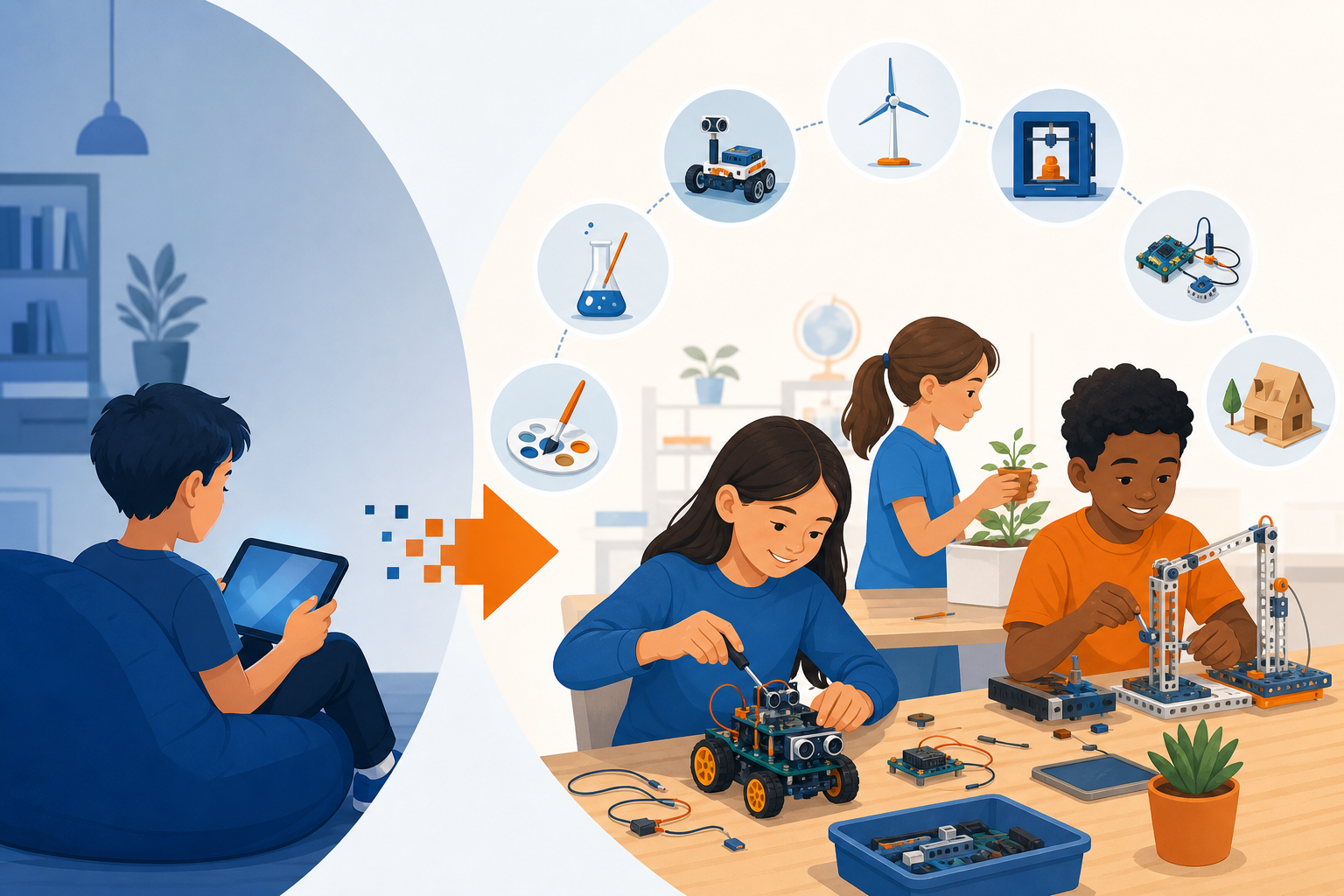
Screens are not the enemy. The problem is not that children use technology, but how they use it. Passive scrolling, autoplay videos, and endless gaming loops leave little room for curiosity or creation. The good news? The same devices that swallow hours of attention can become powerful tools for building, experimenting, and problem-solving. In this guide, we share seven STEAM projects for students that transform passive screen time into active, hands-on learning.
Each project blends Science, Technology, Engineering, Arts, and Mathematics with real making. They work at home, in classrooms, or in after-school programs, and most require only affordable materials or free software. Let’s turn screen time into build time.
Why Active STEAM Beats Passive Screen Time
Research on learning consistently shows that we remember far more when we create than when we merely consume. When a child designs a game instead of playing one, or films a stop-motion story instead of watching cartoons, the brain shifts from receiving to producing. That shift builds critical thinking, persistence, and confidence.
These screen time alternatives are not about banning technology. They channel it toward creativity. A tablet becomes a camera, a coding canvas, or a design studio. The goal of hands-on STEM learning is simple: make the learner the author, not the audience.
1. Build a Stop-Motion Animation Studio
Stop-motion turns a phone or tablet into a filmmaking tool. Kids arrange objects, snap a photo, move them slightly, and repeat, creating the illusion of movement.
- You need: a free stop-motion app, clay or building bricks, and a steady surface.
- What they learn: sequencing, frame rate math, storytelling, and patience.
Ask students to animate a science concept, such as the water cycle or a plant growing. A 10-second clip can take 100 photos, which naturally teaches multiplication and planning. The result is a shareable creation they made themselves.
2. Code a Simple Game with Block Programming
Block-based coding platforms let beginners build real, playable games by dragging and snapping commands together. Instead of playing someone else’s game, students design their own rules, characters, and challenges.
- You need: a free coding environment like a browser-based block editor.
- What they learn: logic, loops, conditionals, and debugging.
Start small: a character that collects points when tapped. Then add levels, scoring, and sound. When a game breaks, the debugging process itself becomes the lesson. This is one of the most engaging STEAM projects for students because the reward is immediate and personal.
3. Design and 3D-Print (or Paper-Model) a Solution
Design thinking asks students to identify a real problem and prototype a fix. Using free 3D modeling software, they can create objects such as a phone stand, a cable organizer, or a tool for someone with limited hand mobility.
- You need: free browser-based 3D design software; a 3D printer is optional.
- What they learn: spatial reasoning, measurement, empathy, and iteration.
No printer? Export the design and rebuild it with cardboard and tape. The engineering value lives in the design process, not the machine. Encourage students to test their prototype and redesign it at least once.
4. Create a Data Story with a Home Science Experiment
Combine real-world observation with digital analysis. Students collect data, such as daily temperatures, plant growth, or how long different paper airplanes stay aloft, and then chart it in a spreadsheet.
- You need: a notebook, a measuring tool, and free spreadsheet software.
- What they learn: the scientific method, graphing, averages, and clear communication.
The magic happens when raw numbers become a graph that tells a story. Ask students to write one sentence explaining what their chart reveals. This turns math and science into evidence-based reasoning, a skill they will use for life.
5. Produce a Podcast or Explainer Video
Recording audio or video flips consumption into production. Students research a topic they care about, write a script, and record it. The result is a polished piece they can share with family or classmates.
- You need: a phone or tablet microphone and free editing software.
- What they learn: research, writing, audio engineering, and public speaking.
Try an “explain it in two minutes” challenge: how does electricity work, or why is the sky blue? Teaching a concept out loud is one of the fastest ways to truly understand it. Editing the recording adds a technical, creative layer.
6. Build a Basic Electronics Circuit
Physical circuits give abstract science a tangible form. With a low-cost kit, students can light an LED, spin a small motor, or trigger a buzzer. Programmable microcontroller boards take this further, connecting hardware to code.
- You need: a beginner electronics kit or conductive materials like copper tape and coin batteries.
- What they learn: circuits, energy flow, cause and effect, and troubleshooting.
For younger children, a simple paper circuit that lights up a drawing feels like magic. Older students can wire a sensor that reacts to light or motion. Either way, they see science working in their own hands, one of the best screen time alternatives available.
7. Launch a Micro-Business or App Prototype
Entrepreneurship brings every STEAM skill together. Students identify a need, design a product or app mockup, calculate costs, and pitch their idea. They can prototype an app screen with free design tools, no coding required.
- You need: free design or presentation software and a simple budget template.
- What they learn: problem-solving, budgeting, marketing, and communication.
Have them create a one-page pitch: the problem, the solution, and the price. This project shows how technology, math, and creativity combine to build something the world might actually want. It is ambitious, but even a rough prototype teaches lasting lessons.
How to Make These Projects Stick
Great projects can fizzle without a little structure. Use these tips to keep hands-on STEM learning momentum going:
- Set a clear finish line. Define what “done” looks like, such as a finished video or a working circuit.
- Embrace failure. When something breaks, treat it as data, not defeat. Debugging is the real learning.
- Share the result. An audience, even one parent, turns effort into pride.
- Keep sessions short. Thirty focused minutes beat two distracted hours.
- Ask questions, don’t give answers. “What could you try next?” builds independence.
Getting Started This Week
You don’t need a lab or a big budget. Pick one project that matches your learner’s interests, gather a few materials, and set aside a single afternoon. If a child loves stories, start with stop-motion. If they love games, start with block coding. Curiosity is the only prerequisite.
The most valuable outcome is not a single finished product. It is the shift in how children see technology, as a tool they can command rather than a stream they passively receive. Every one of these STEAM projects for students plants that idea a little deeper. Trade screen time for build time, and watch learning come alive.